 MLCG
01 / DESIGN
Start with a graphic. Make it yours.
Browse templates by category, then shape the details with contextual typography, alignment, and layout controls.
LIVE FROM THE STUDIOYour next story.Designed for your broadcast
Try text alignment
Create animated lower thirds, scoreboards and news tickers in your browser. Publish transparent HTML5 overlays and update live data through the REST API.
Design → Animate → Playout → Deliver
FROM CANVAS TO PROGRAMAnimate layer position and size with keyframes. Build tickers with per-message effects and bind text or scores to live data. Try the controls below.
Browse templates by category, then shape the details with contextual typography, alignment, and layout controls.
Combine keyframes with entrance, hold, and exit animations. Fine-tune movement on a compact, frame-accurate timeline.
Connect reusable data fields to your graphics. Update scores, names, and headlines through the editor or a session REST API.
Mix message sources, images, and motion in the ticker editor. Give each message its own direction and text effect, with timing adapted to its entrance.
Browse editable lower thirds, scoreboards, breaking news banners and tickers. Preview a design, then customize its layout, motion and live data.
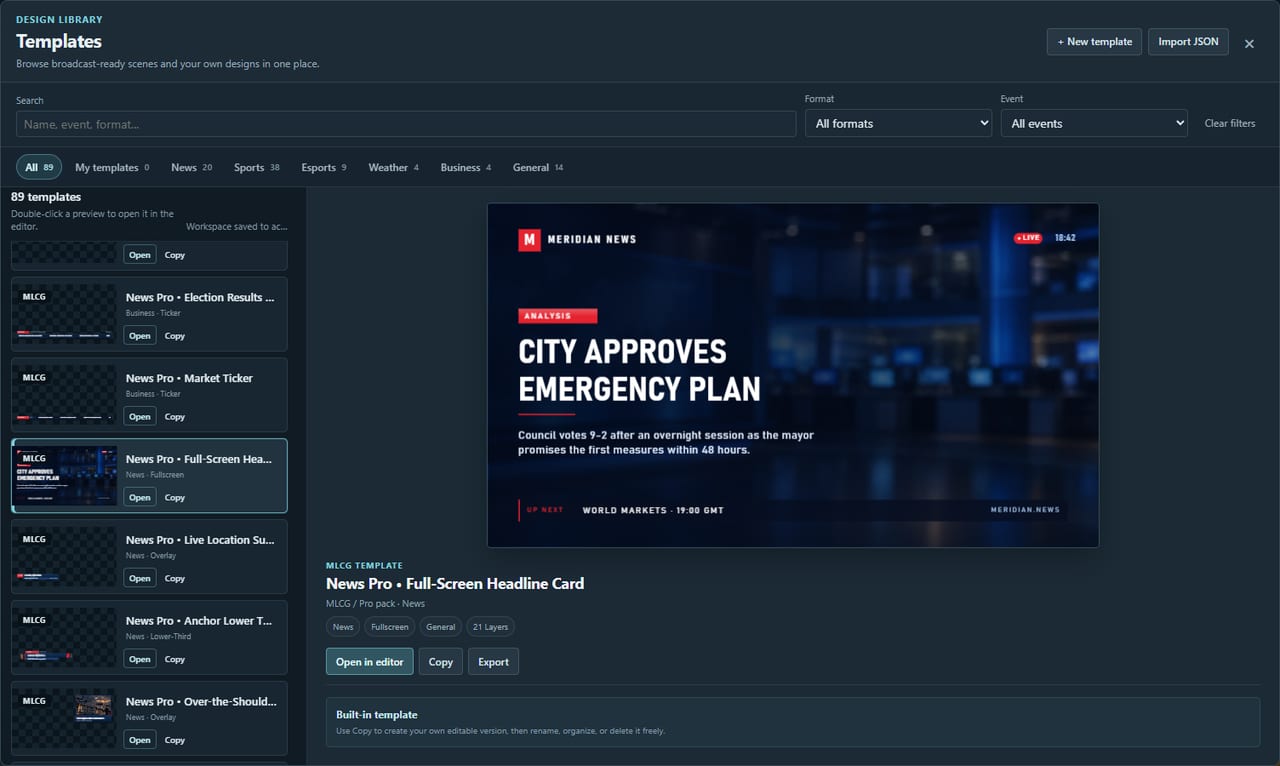
Combine category, format and event filters to find a lower third, scorebug, ticker or full-screen graphic.
Play the selected template’s animation, inspect the larger preview, and open the design without leaving your workspace.
Copy, organize, import and export your templates. Close the Library and keep browsing your filtered results in the editor’s left panel.
Real editable templates, rendered below with MLCG.
Real editable graphics. Make the text, colors, data, and motion your own.
Scorebugs / Lower thirds / Player cards / Lineups / Medal tables / Election results / Weather
Build timed or operator-paced graphics playlists. Run parallel timelines in one Show, with different templates and data on each track.
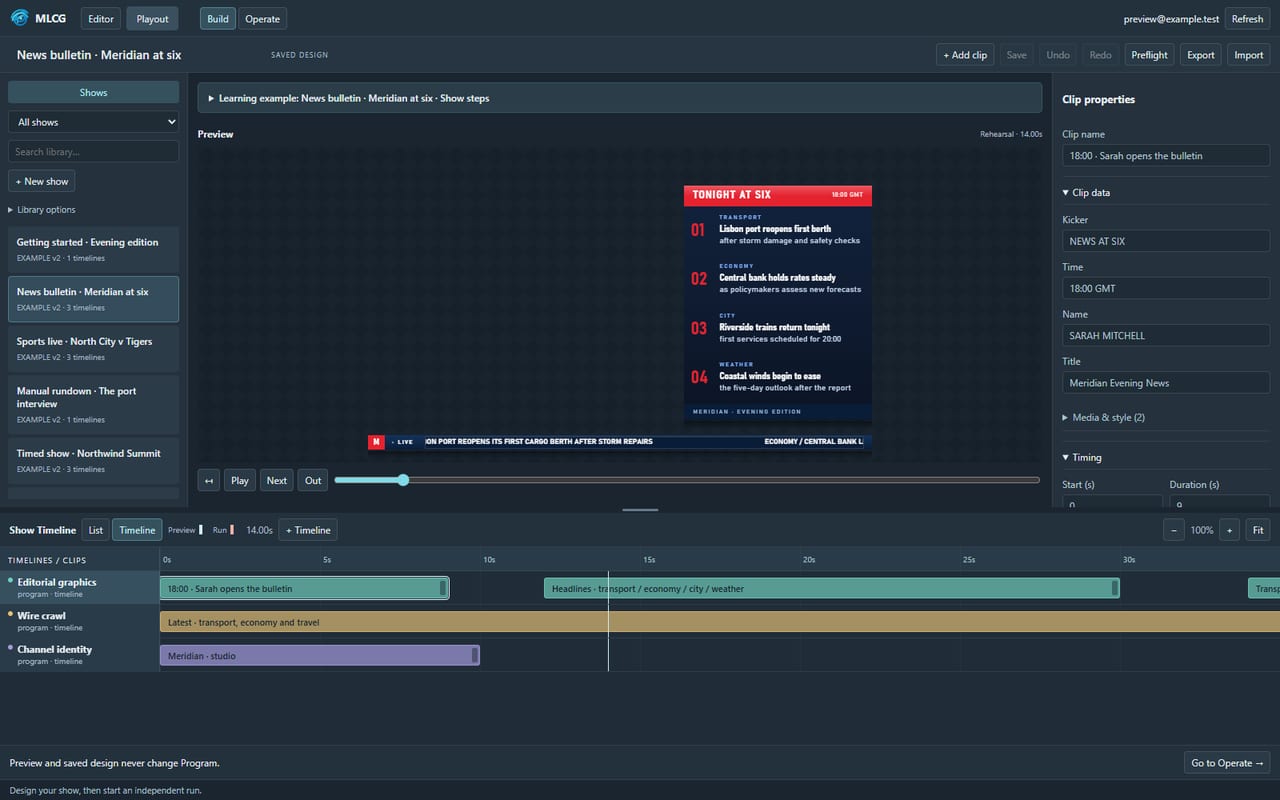
Arrange Clips on a timeline or in playlist order. Edit their values, check timing and artwork with Preflight, and learn from the included news, sports and automation Shows.
Start an independent Run from a saved Show. Use Now/Next, advance with Next or Out, and update a current Clip’s data without changing the source template.
Create Shows and Timelines through REST. Schedule a start, update Clip data, and build changing scenarios from your own newsroom, scoring or automation system.
Update a scoreboard, ticker or lower third from your own application. Change published data separately from playback, or operate Shows and Runs from the same API.
Explore the REST API C# REST client & examplesPATCH /api/sessions/match/bindings
Authorization: Bearer <your-token>
{
"values": {
"home_score": "3",
"player_name": "ELIAS MARTIN"
}
}Authorize requests for your target session.
Illustrative request only — this demo sends no API calls.
Publish browser graphics or export portable HTML today. Medialooks MLCG Plugin is the next integration we’re working on.
Open a transparent output URL in your graphics host. Use session updates and preview/program playout to prepare and deliver your graphics.
Export your scene as a standalone HTML file. Include supported image assets and pass binding values through URL parameters.
An upcoming integration for bringing MLCG graphics into Medialooks Video SDK applications.
In development. Not production-ready or generally available yet. Supported workflows and integration details are still being validated.